mildcasino Mobile App
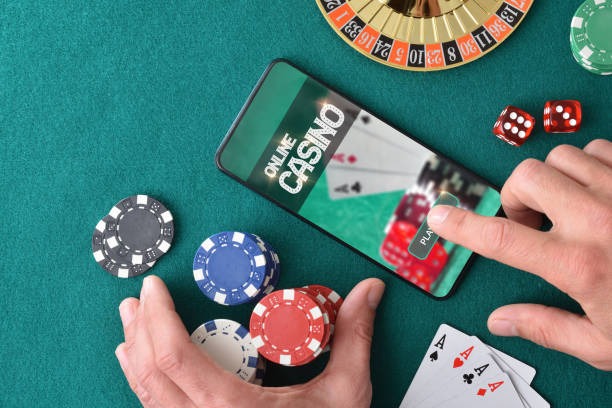
Mobile-first access to mildcasino has become essential for players who want to follow Liga 1 matches, join live-dealer tables, or manage deposits via DANA, e-wallet, mobile banking, and local payment without being tied to a desktop. We at mildcasino offer three paths to access our platform: a native Android APK, an iOS browser-based app, and a responsive web interface. Each path is optimized for low-bandwidth streaming, fast table loading, and secure account management on your phone.

- StartFirst Game
- LoginOTP Verification
- DownloadAPK
Our mildcasino mobile experience prioritizes speed and reliability. Whether you are in Jakarta, Surabaya, Bandung, Medan, or Semarang, our app delivers live-dealer video streams, sportsbook markets, and slot games with minimal latency. We have engineered the app to work on older devices and slower connections, so you can access mildcasino even during peak tournament seasons like Piala AFF or Idul Fitri holidays.
Our services are available only where local law permits. Users are responsible for verifying that access and use comply with their own jurisdiction's law.
Installation Paths for mildcasino
We at mildcasino provide three ways to access our platform on mobile devices. Android users can download our native APK directly from our website and install it on their phone. iOS users can access mildcasino through their Safari or Chrome browser without needing to install an app. All users can also access mildcasino through our responsive web interface on any device with a modern browser. Each path offers the same core features: live-dealer tables, sportsbook markets, slot games, account management, and payment processing.
Android APK Installation on mildcasino
To install the mildcasino Android app, first enable installation from unknown sources in your device settings. Open Settings, navigate to Security or Apps, and toggle "Unknown sources" or "Install from unknown sources" to on. This allows your phone to install apps from sources other than the Google Play Store. Once enabled, download the mildcasino APK file from our website using your phone's browser.
After the download completes, open your file manager and locate the APK file. Tap it to begin installation. Your phone will display a permissions screen showing what data and features the mildcasino app will access. Review these permissions and tap "Install" to proceed. The installation typically takes 30–60 seconds. Once complete, the mildcasino app will appear on your home screen. Tap it to launch the app, then log in with your account credentials or create a new account.

iOS Browser Access on mildcasino
iOS users do not need to install an app to access mildcasino. Open Safari or Chrome on your iPhone or iPad and navigate to our website. Our mildcasino platform automatically detects your device and displays the mobile-optimized interface. You can bookmark the site on your home screen for quick access. To do this, tap the Share button, select "Add to Home Screen," and choose a name for the shortcut. This creates an icon on your home screen that opens mildcasino directly in your browser.
The browser-based mildcasino experience offers the same features as the Android app: live-dealer tables, sportsbook markets, slot games, and account management. Your login credentials work across all platforms, so you can switch between your phone, tablet, and desktop without creating multiple accounts. Browser access does not require enabling unknown sources or granting app permissions, making it a simpler installation path for iOS users.
Web Access on mildcasino
All users can access mildcasino through our responsive website on any device with a modern browser. Simply visit our website from your phone, tablet, or desktop computer. Our mildcasino platform automatically adjusts the layout to fit your screen size. The web interface includes all core features: live-dealer tables, sportsbook markets, slot games, account management, and payment processing. No installation is required, and no app permissions are needed.
Web access is useful if you prefer not to install an app or if you want to access mildcasino from a shared device. Your account data is stored securely on our servers, so you can log in from any device and see your current balance, transaction history, and open bets. We recommend using a strong password and logging out after each session if you access mildcasino from a shared device.
We at mildcasino optimize our mobile experience for low-bandwidth connections and older devices, ensuring access across all regions and network conditions.
App vs Browser: Strengths of Each
The mildcasino native Android app offers several advantages over browser access. The app caches game data and video streams locally, allowing faster loading times and smoother playback of live-dealer tables. The app can send push notifications to alert you when a Liga 1 match is about to start or when your withdrawal has been processed. The app also integrates with your phone's payment systems, making deposits via DANA, e-wallet, mobile banking, and local payment faster and more seamless. The app runs independently of your browser, so it continues to work even if you close your browser or switch to another app. However, the app requires installation and takes up storage space on your device. Browser access, by contrast, requires no installation and works on any device with a modern browser. Browser access is simpler for iOS users and for players who prefer not to install apps. The trade-off is that browser access may be slightly slower than the native app, especially on slower connections, because it does not cache as much data locally.
Device Compatibility and Requirements
We at mildcasino support Android devices running Android 7.0 or later. Most phones and tablets manufactured in the last five years meet this requirement. For iOS, our browser-based access works on iPhone and iPad running iOS 12 or later. We recommend using a modern browser (Safari 12+, Chrome 80+, Firefox 75+) for the best experience. Our mildcasino platform also works on older devices and slower connections, though performance may vary. If you experience slow loading times, try closing other apps to free up memory, or connect to a faster Wi-Fi network. Our support team can help troubleshoot compatibility issues if you encounter problems accessing mildcasino on your device.
Common Installation Issues and Solutions
If you encounter problems installing the mildcasino Android app, the most common issue is that "Unknown sources" is not enabled. Check your device settings and ensure that installation from unknown sources is toggled on. If you see a security warning during installation, this is normal; the warning appears because the app is not from the Google Play Store. Review the permissions requested and tap "Install" to proceed. If the download fails, check your internet connection and try downloading again. If the app crashes after installation, try restarting your phone and clearing your browser cache. If you continue to experience issues, contact our support team through the Help section of the app or website. Our support team is available in English and can assist with installation troubleshooting, account recovery, and other technical issues.
Data, Permissions, and Account Security on mildcasino
The mildcasino app requests permissions to access your device's storage, camera (for ID verification), and location (for fraud detection). We use these permissions only to provide our service and to comply with anti-money-laundering regulations. We do not share your data with third parties except where required by law or to process your payments. Your account password is encrypted and never stored in plain text. Your payment information is processed through secure payment gateways and is never stored on our servers. We use industry-standard encryption (TLS) to protect all data transmitted between your device and our mildcasino servers. If you believe your account has been compromised, contact our support team immediately. We can help you secure your account and investigate any unauthorized activity.
Getting Started with mildcasino
To start using mildcasino, download the app or open our website in your browser. Tap "Register" to create a new account. You will need to provide your email address, password, full name, date of birth, phone number, and residential address. You will also need to upload a valid ID document (KTP, passport, or driver's license) for account verification. This process typically takes subject to verification. Once your account is verified, you can deposit funds using online payment, e-wallet, mobile banking, local payment, online payment, e-wallet, or direct bank transfer from mobile banking, local payment, online payment, or e-wallet.
After your first deposit, you can access all features of mildcasino: live-dealer tables (blackjack, roulette, baccarat, Dragon Tiger), slot games (Aviator, Sweet Bonanza, Gates of Olympus, Fortune Tiger, Mahjong Ways), and sportsbook markets (Liga 1, Piala Indonesia, Piala AFF, Champions League, Premier League, MotoGP, esports). Our support team is available in English during standard business hours if you have questions about account setup, game rules, or payment processing.
Our services are available only where local law permits. Users are responsible for verifying that access and use comply with their own jurisdiction's law.